Coupon Code Announcement Bar
Upgrade your standard Squarespace announcement bar with a copyable coupon button that makes promotions easier to use and helps turn visitors into customers.
 Built for Squarespace
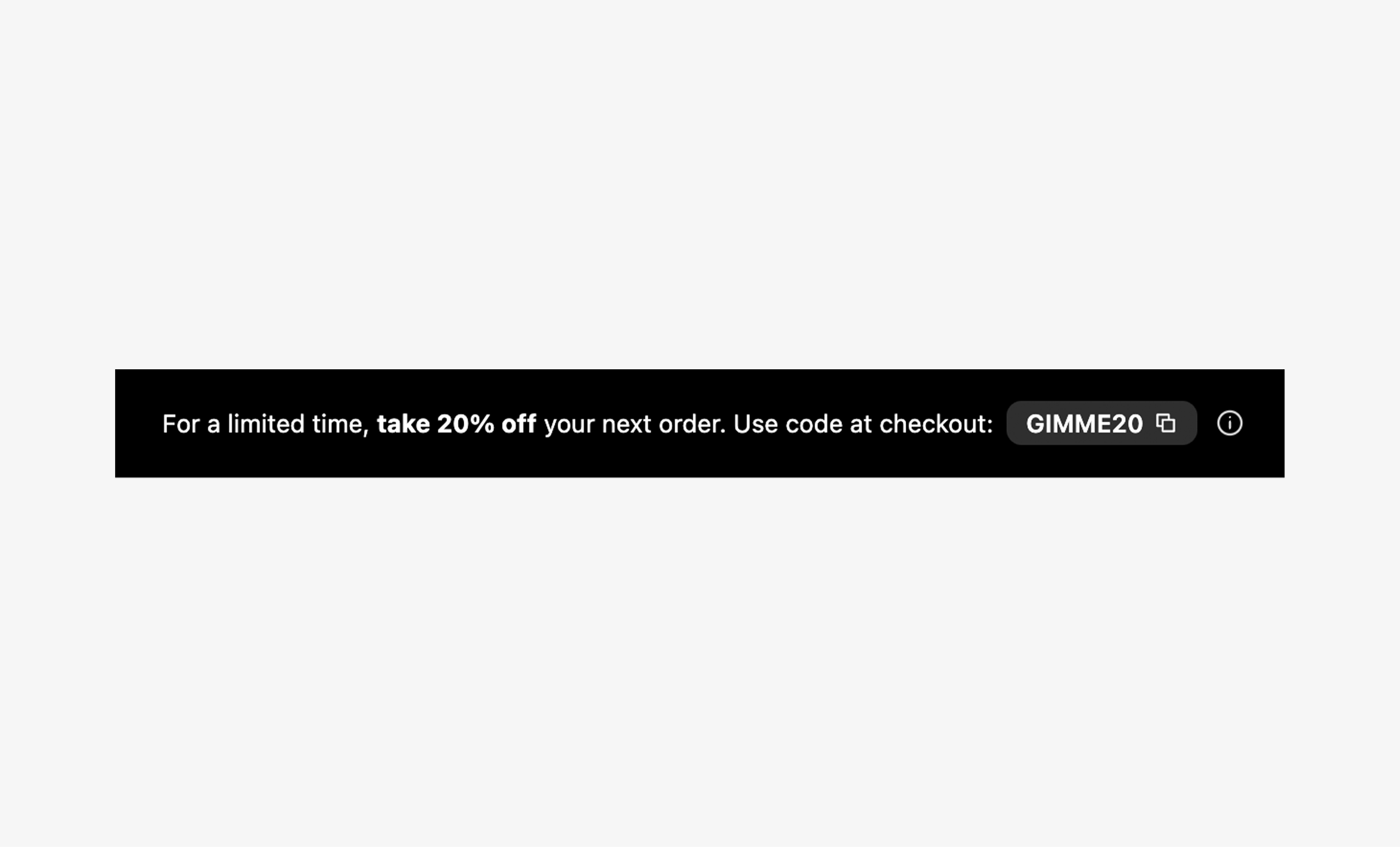
Turn your announcement bar into a sales tool. Coupon Code Announcement Bar upgrades the standard Squarespace experience by pairing your promotional message with a button that copies the coupon code in one click. Visitors can grab the offer without memorizing or typing a code, reducing friction on the way to checkout. Customize the text, colors, typography, button, and spacing to match your brand. Align the message and button together, choose whether visitors can close the bar, and set when a dismissed offer returns. The bar sits above your header and restores the page’s placement when closed. Use it to highlight first-order discounts, seasonal promotions, or limited-time offers that give shoppers another reason to buy.
How your plugin is delivered and accessed after purchase.
Instant Access
Plugin Studio will unlock after purchase or joining Ghost+.
No Downloading Files
No download files or saving a plugin password file.
Access Anytime
Return to your plugin and guide anytime via your account.
Check compatibility and requirements for using this plugin on Squarespace.
Plugin Setup & Customization
From purchase to installation, Ghost keeps your plugins connected and easy to manage.
- 1
Order or Unlock the Plugin
Purchase the plugin or unlock it with Ghost+. It’s added to your account instantly.
- 2
Customize in Plugin Studio
Adjust content, styles, colors, and more visually, then save your customized plugin as a preset.
- 3
Save Your Plugin
Save your plugin as a preset to a Workspace to manage plugins, upload files, and more.
- 4
Connect To Squarespace
Connect your Workspace to Squarespace once and every assigned plugin updates automatically.
Ghost Tools Included for Everyone
Customize, manage, install, and hand off plugins with Ghost Suite.
SquarespaceCustomize Without Code.
Add to Squarespace in 60 Seconds.
We've changed how Squarespace plugins work. Customize visually with simple controls, see your changes live, save plugin designs as presets, and add to Squarespace in seconds.
- No Code Customization
- Live Visual Editing
- No Extensions Required
Meet Plugin Studio.Customize visually with simple controls, see your changes live, and add them to Squarespace in seconds.No Coding RequiredLive Visual EditingNo AI Prompting
 Plugin Studio
Answers to questions about plugin setup, customization, and troubleshooting.
A history of updates and improvements released for this plugin.
Coupon Code Announcement Bar has no active issues reported.
Announcement link with optional new tab
Stay hidden until styles and saved preset are ready.
Remove import-only schema dependency; styles remain controlled by saved CSS variables.