Pushed Down Header
This Super Plugin moved from our legacy site. If you previously purchased, to unlock.
The original library, featuring hundreds of copy-and-paste plugins for Squarespace. These legacy plugins are preserved as they were originally released and are available as-is. For no-code plugins with visual editing and live previews, explore the current plugin library.
Overview
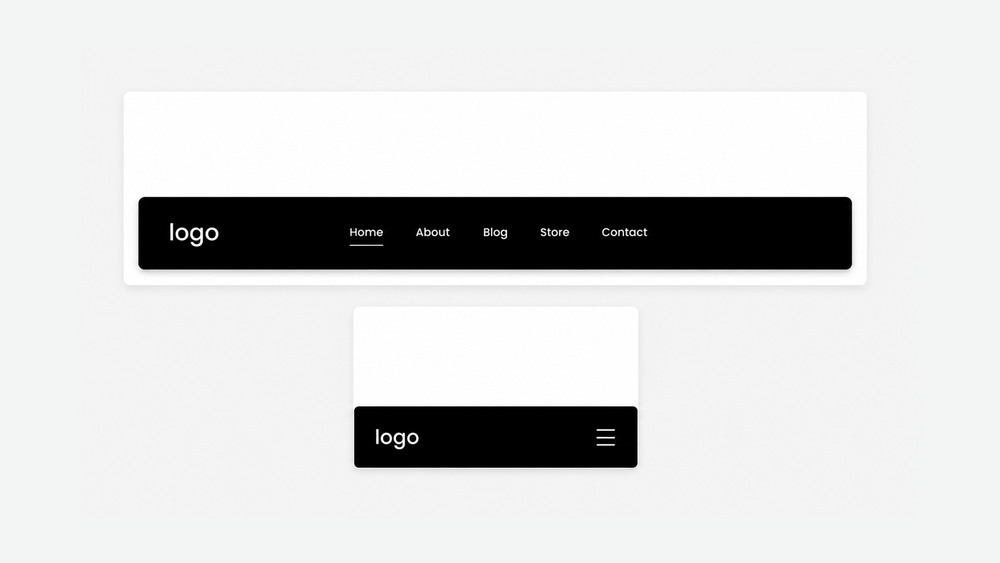
Move your Squarespace header to the bottom of the screen for an app-style layout.
Works with Squarespace 7.1
Requires Basic/Personal Plan or Higher
Uses CSS Editor
Plugin Delivery
A classic Super Plugin from the original Ghost Plugins library. Purchase once to unlock the code on this page and use it on unlimited websites. Included with Ghost+.
Squarespace Compatibility & Requirements
Compatibility notes preserved from the original release.
Install Steps
Follow each step in order. Code boxes unlock after purchase, with Ghost+, or with your original password.
Step 1 (a). Add this code to Custom CSS - For Desktop Header
Unlock to view and copy the code.
Step 1 (b). Add this code to Custom CSS - For Mobile Header
Unlock to view and copy the code.
Step 2. Customizable Options
Customize the header like normal with available Squarespace settings.
Plugin Notes
Compatible with all header layouts and Fixed: Basic setting
Not recommended with the Fixed: Scroll Back setting
Recommended
Want the current Ghost experience?
Explore the current plugin library for plugins with live previews, built-in customization options, Plugin Studio editing, easier installation, and ongoing updates designed for the latest Ghost experience.
Browse Current Plugins →